
Win Spirit is delivered on mobile as a Progressive Web App rather than a native App Store or Google Play package, so it installs straight from the browser with no third-party APK and no separate account. Android adds the shortcut through Chrome and iPhone or iPad through Safari, and installing it is tied to 20 no-deposit free spins. The Win Spirit app opens the same 2,500+ games, live dealer tables, sportsbook, esports, promotions and AUD cashier as the desktop site, updates automatically, and signs in with the existing login. This page explains how to install it on each system, what the mobile version covers, and how the 20-spin reward works for Australian players.
Because the app is browser-based, it always loads the current version of the site, so interface changes appear without a manual store update. There is no reduced "lite" catalogue on mobile - the lobby, cashier and bonuses match the desktop account exactly, and the installed shortcut simply removes the address bar and adds a home-screen icon.
| Win Spirit app | Details |
|---|---|
| Type | Progressive Web App (PWA) |
| Download required | No - installs from the browser |
| iOS access | Safari - Add to Home Screen |
| Android access | Chrome - Install / Add to Home Screen |
| Install reward | 20 no-deposit free spins |
| Game catalogue | 2,500+ titles - identical to desktop |
| Cashier | Full AUD deposits and withdrawals |
| Sportsbook and esports | Available on mobile |
| Updates | Automatic - no manual store update |
| Security | SSL encryption, same as desktop |
Is there a native Win Spirit app for iOS or Android?
There is no native Win Spirit app in the App Store or on Google Play, and none is needed. The Progressive Web App covers the same features through the browser, which means Australian players avoid store restrictions on casino software and never have to source an APK from an outside site. The trade-off is that the icon is a web shortcut rather than a store-installed program, but the games, cashier and account behave the same either way.
How to install the Win Spirit app
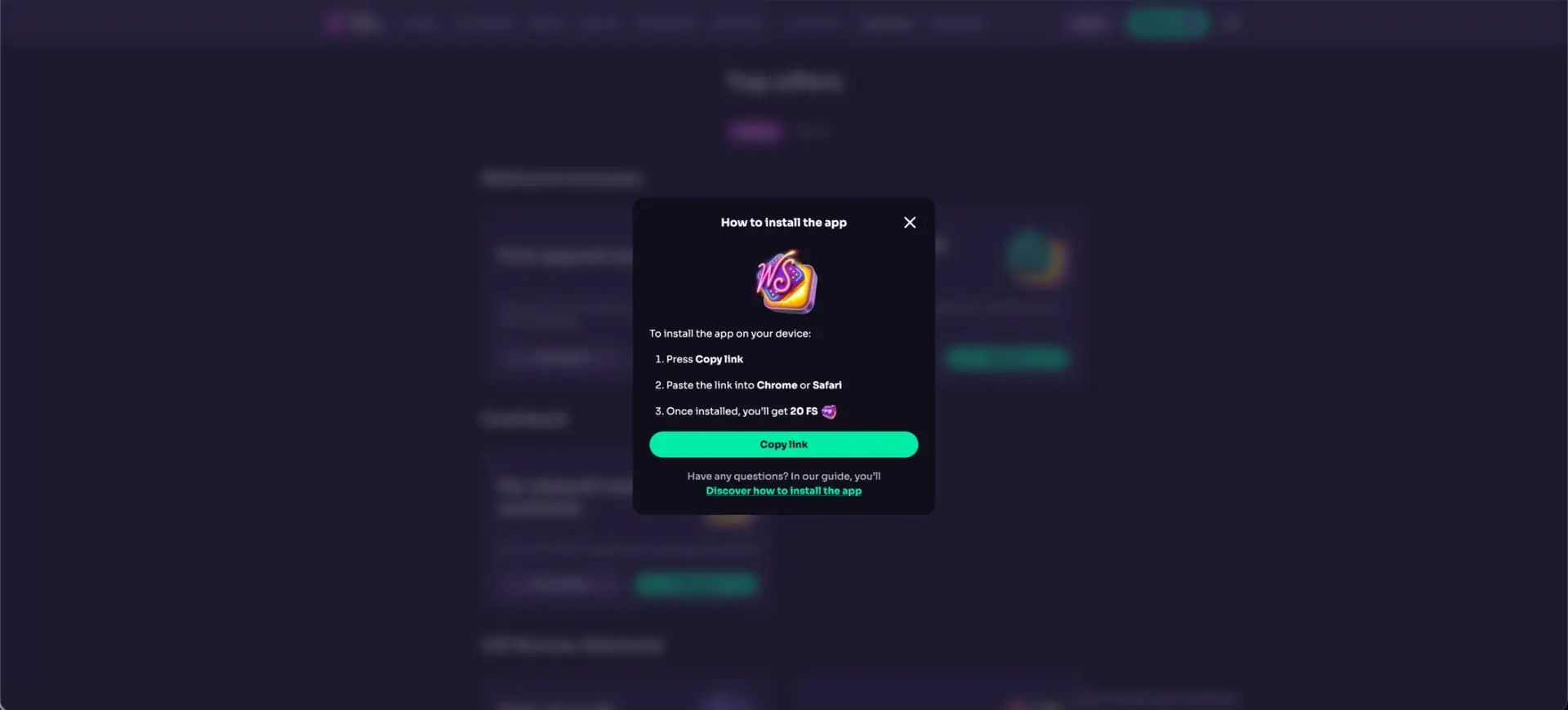
The install runs through the phone's own browser, and the key step is to open the correct official address first so the shortcut always points to the right site. The general flow is copy the site link, open it in Chrome or Safari, and use the browser's add-to-home-screen command; the 20 free spins are credited once the app is installed. The system-specific steps are below.
iPhone and iPad (Safari)
On iOS the Add to Home Screen command lives in the Safari share menu, and the shortcut then opens the casino directly.
- Open the official Win Spirit site in Safari.
- Tap the Share icon at the bottom of the screen.
- Scroll the share sheet and tap Add to Home Screen.
- Confirm the name and tap Add.
- Open the new icon from the home screen to launch Win Spirit.
Android (Chrome)
On Android the install prompt appears in the Chrome menu, and the app is added as a standalone icon.
- Open the official Win Spirit site in Chrome.
- Tap the three-dot menu in the top-right corner.
- Select Install app or Add to Home screen.
- Confirm the prompt to add the shortcut.
- Launch Win Spirit from the home-screen icon.
The 20 free-spin install reward
Installing the Win Spirit app is linked to 20 no-deposit free spins, credited after the shortcut is added and the account is signed in. This reward is separate from the deposit-based welcome pack and from VIP status rewards, and its eligible game, wagering and expiry conditions are shown in the promotion area. As with any free spins, a no-deposit label does not make the resulting winnings instantly withdrawable, so the current terms are worth reading before an eligible game is opened.
What the Win Spirit app covers on mobile
The mobile app is a full version of the account rather than a cut-down one, and everything from the desktop site carries over. The main areas available on mobile are listed below.
- Casino: the full 2,500+ game lobby, with the same category and provider filters.
- Live casino: streamed roulette, blackjack, baccarat and game shows.
- Sportsbook and esports: pre-match and live markets in the same account.
- Cashier: AUD deposits and withdrawals with the full method list.
- Promotions: the welcome pack, reloads, Gift Shop, tournaments and VIP Club.
Performance and access on mobile
Because the app loads the live site, performance depends mainly on the device and connection rather than on a stored program. A modern phone on a stable Australian mobile or broadband connection opens the lobby, streams live tables and processes cashier actions the same way the desktop site does. Keeping the browser updated and using a private connection gives the most consistent result, and a dropped signal during a live round is the main thing to guard against.
Security on the Win Spirit app
The installed app uses the same SSL-encrypted connection and the same login as the desktop site, so there is no separate security setup. On a shared device, turning off saved passwords and notification previews keeps the account private, and the shortcut should be removed from any phone or tablet a minor can reach. If the app ever opens an unexpected address after installation, reinstalling it from the official site restores the correct shortcut.
Usage tips for Australian players
A few simple habits keep the mobile experience smooth and safe, and they take moments to set. The main ones are below.
- Install only from the official Win Spirit domain, never from an APK link.
- Set deposit, loss and session limits in the account before playing.
- Keep the browser updated so the app always runs the current version.
- Use the signed-in live chat for any payment or account question.
Frequently asked questions about the Win Spirit app
The most common questions about the Winspirit mobile app are answered below.
Does Win Spirit have a mobile app?
Yes, as a Progressive Web App. It installs from Chrome on Android or Safari on iOS, opens the same account and features as the desktop site, and does not require a store download or APK.
Is there a Win Spirit app on the App Store or Google Play?
No native app is published on either store. The PWA delivers the full casino, sportsbook and cashier through the browser instead.
How do I get the 20 free spins for installing the app?
Install the app from the official site and sign in; the 20 no-deposit free spins are credited to the account. Check the promotion area for the eligible game, wagering and expiry rules.
Does the app work on both iPhone and Android?
Yes. iPhone and iPad install through Safari's Add to Home Screen, and Android installs through Chrome's Install app option. Both open the same Win Spirit account.
Do I need a separate account for the app?
No. The app uses your existing Win Spirit login, so the balance, bonuses and history are shared with the browser version.
Does the app update itself?
Yes. Because it loads the live site, updates apply automatically and there is no manual store update to install.